We’ve kicked off a new series on the best AI tools for creators—everything from subtitle generators to video editors. In this Submagic Review, we’re starting with the 1st standout tool in our lineup.
Why Submagic Matters in 2025? Short-form content is no longer just a trend. it’s the heartbeat of the creator economy. TikTok, YouTube Shorts, and Instagram Reels dominate feeds, and creators are posting faster than ever. With attention spans getting shorter and competition hotter, one thing can make or break your video: AI captions, because manually generated captions take a lot of time.
In 2025, flashy visuals aren’t enough. You need synced, stylized, and scroll-stopping captions— especially if you’re targeting Gen Z. But manual captioning? It’s slow. That’s where AI tools like Submagic come in. In market, there are multiple AI subtitle generators, so read this: 10 AI caption generator tools.
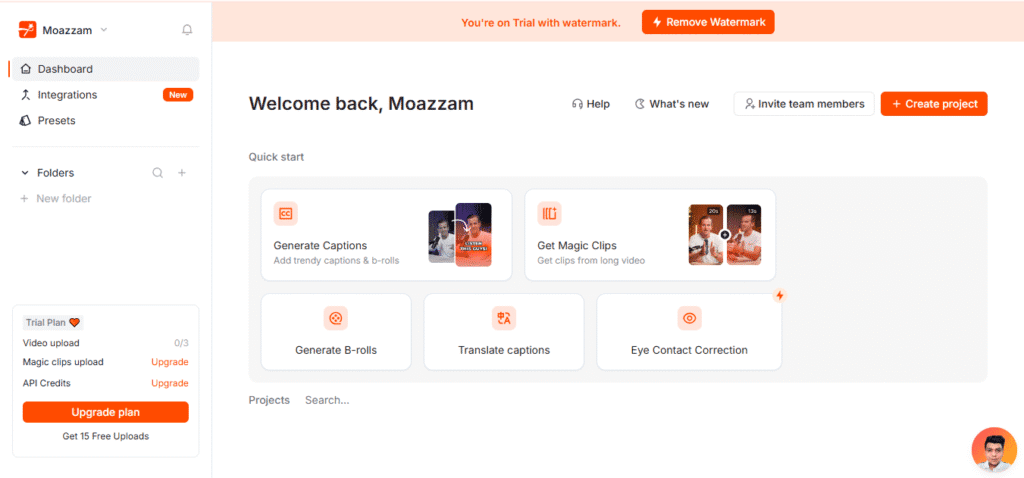
Submagic has been a go-to for creators needing fast, accurate subtitles with smart design. But as more AI tools pop up, is it still the best option today? Let’s break it down.
🔗 “As short form content trends in 2025, creators need tools that can keep up. I also reviewed 10 top AI caption generators here.”
What Is Submagic? (2025 Version)
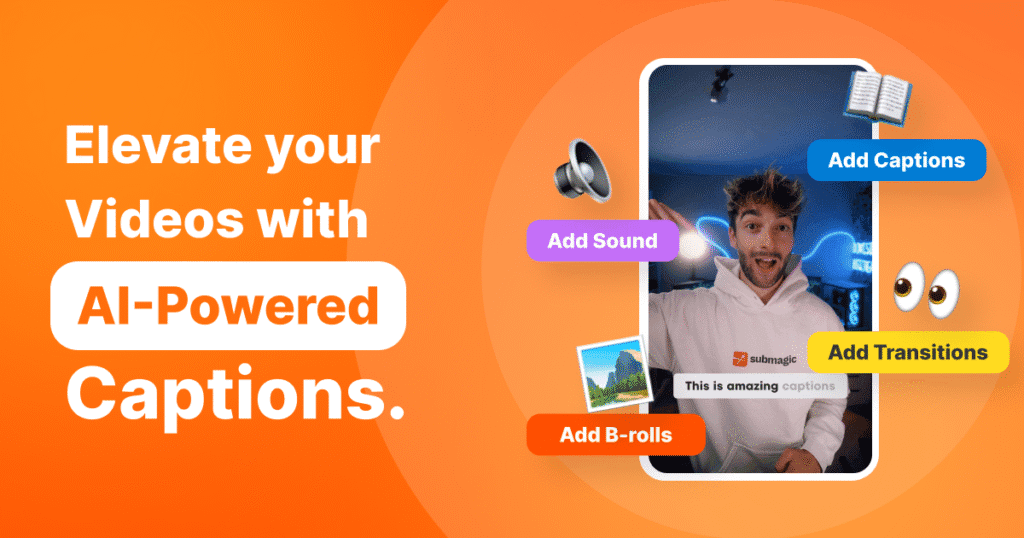
Submagic is an AI-driven video captioning tool built specifically for the modern content creator. It turns your spoken words into accurate, stylized captions — automatically. Think TikTok, YouTube Shorts, Instagram Reels, and even other social media platforms like LinkedIn — all covered.
The 2025 version of Submagic has a cleaner, faster user interface. You just upload a video, trim the video if needed, and in a few clicks, your captions are ready — with word highlights, emoji inserts, sound effects, AI hook titles, and even auto music syncing.
Submagic offers flexible pricing tiers that now cater to solo creators and agencies alike, starting with a free trial, a Starter plan, and scaling up with Pro and Team plans. It works entirely in the browser (SaaS-style), no downloads needed. And yes, it supports multiple aspect ratios, video exporting, and platforms out of the box.
Whether you’re a creator, coach, or social brand editor, Submagic’s key features save hours per week while backed by responsive customer service.
You can try Submagic here — it’s free to start.
3. What’s New in Submagic 2025?
Compared to its 2024 version (read it), Submagic underwent a notable improvement in 2025. The interface is snappier, and the AI feels noticeably sharper.
- Smarter Voice Detection: Improved AI models now pick up on tone shifts and speaker changes better.
- Styling Overhaul: More animated text styles, presets, and caption designs to match different brand vibes.
- Music Sync Tool: Aligns captions to beats and music cuts — ideal for creators who love rhythm edits.
- Highlight Automation: Key words and emotional triggers are now auto-highlighted (no manual tweaks).
- Export Upgrades: Faster rendering and new export options (4K, transparent background, and custom sizing).
- Translate Captions: Convert subtitles from one language to another.
- Eye contact correction: Maintaining eye contact in videos helps build connection and trust with the audience, making the content more engaging and personal.

These improvements aren’t just cosmetic. They solve actual pain points misaligned captions, clunky editing, and lack of creative control.
If you used Submagic before, 2025’s version feels like a true upgrade — not just a facelift.
4. How Well Does It Work? (Performance Test)
I ran a real test by uploading a 58-second YouTube Short on productivity tips. Here’s what we found:
- Upload Speed: Smooth. Video processed in under 30 seconds.
- Speech-to-Text Accuracy: Around 96% accurate. It correctly caught tricky words like “Pomodoro” and “asynchronous”.
- Timing Sync: Spot-on. Captions matched speaker rhythm with almost no delay.
- Highlighting: The AI auto-bolded keywords like “focus,” “distractions,” and “deep work” — saving manual effort.
- Style Presets: We tried a bold, kinetic animation preset — it looked polished and platform-ready.
- Export: Fast rendering, under 40 seconds. File was clean, high-res, and ready to post.
Usability-wise, it’s intuitive even for beginners. You don’t need to be a video editor to make solid content with it. No lag, no crashes — just a smooth workflow.
This tool saved me hours. If you want to speed up your editing too, give Submagic a shot via this link.
Pricing
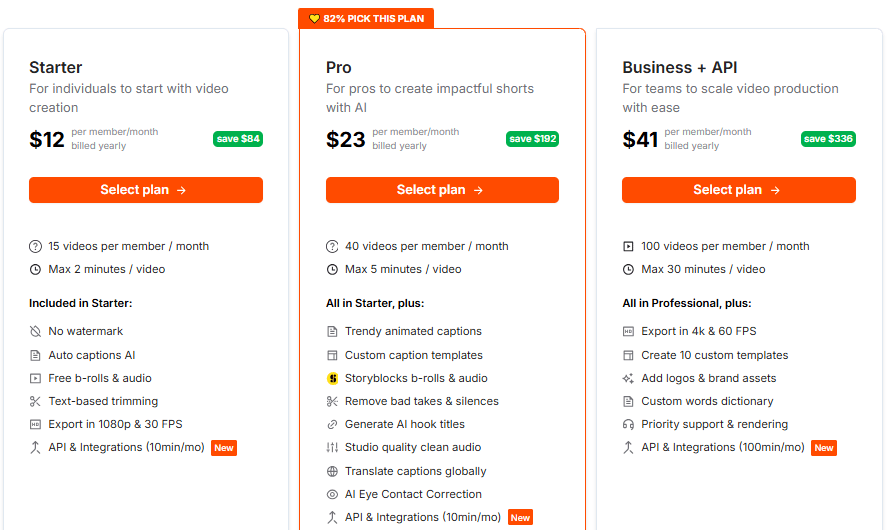
Pricing: Starts free, then scales to Pro ($20–$30/month) and Team plans. Compared to editors charging per minute, it’s a budget win for regular creators, But if you purchase annual plan you save 82% discount so: Buy.
Support has improvedemail responses are faster and there’s now an in-app help bot for quick issues.
If you post 3–5 videos weekly, the time you save justifies the cost.
6. Submagic vs Competitors in 2025
How does Submagic hold up against other major players? Let’s compare it to Descript, VEED.io, and Captions.ai.
| Tool | Strengths | Weaknesses | Price Range |
|---|---|---|---|
| Submagic | Fast, stylized captions, short-form focused | Basic editing only | Free – $19/month |
| Descript | Podcast + video editing, multi-featured | More complex UI for beginners | $15–$30/month |
| VEED.io | Great for teams, full editor + captions | Occasional lag, learning curve | Free – $19/month |
| Captions.ai | Mobile-friendly, AI-powered smart captions | Limited desktop features | $9.99- $69.99/month |
Submagic is clearly designed for short-form creators, not general video editors. It skips bulky features and focuses on what matters: viral captions, fast exports, and creator workflows.
If you need podcast editing or full video production, Descript may be better. But for TikTok, Reels, and Shorts? Submagic still leads on speed and simplicity.
Final Verdict: Should Creators Use Submagic in 2025?
If you’re a creator, influencer, coach, or editor posting short videos weekly — Submagic is still one of the best AI tools in 2025.
It’s made for the platform-native creator: fast-paced, results-driven, and design-conscious. You don’t need editing skills. Just upload, caption, export, and go.
Sure, there are other tools — but most are bloated or too generic. Submagic nails what short-form creators actually need: clean captions, fast output, and viral potential.
My Experience with Submagic
I’ve been using Submagic for my short videos, and it makes captioning super easy. Just drop in the video and a few seconds later the captions are ready clean and accurate. The grammar is usually right, so I barely need to edit. Out of all the tools I’ve tried, Submagic feels the easiest to use.
If you’re serious about standing out in 2025 with clean, fast, scroll-stopping captions, Submagic is still the one to beat. Try it here and support this site (no extra cost to you).
Short videos are everywhere in 2025, and good captions make all the difference. Check out my review of the 10 best AI caption generators.