HyzenPro
Home
AI Tools
Blog
Compare
Submit Tool

Discover

  • AI Tools DirectoryBrowse the full AI tool library
  • Find ToolsUse the guided matcher quiz
  • CompareShortlist tools side by side

Popular Categories

  • AI Video ToolsEditors, generators, captions
  • AI Writing ToolsContent, copy, and SEO writing
  • AI Coding ToolsAssistants for developers

For Vendors

  • Submit AI ToolGet listed on HyzenPro
  • Vendor PortalManage your listing

From the Blog

Latest insights on AI tools

View all
ReviewClaude Opus 4.8 ReviewRead articleMarketing20 Best AI Marketing Tools in 2026Read articleVideo20 Best AI Video Generation Tools in 2026Read articleWritingHow to Choose an AI Writing ToolRead articleAutomationAI Automation Tools That Save 15 HoursRead articleGuideBest AI Tools for Small Business OwnersRead article

Learn

  • GuidesHow we evaluate AI software
  • ReviewsHands-on analysis and verdicts
  • Latest Blog PostsResearch, news, and tool guides

Company

  • About HyzenProWhat we cover and why
  • ContactQuestions, corrections, and partnerships
  • AdvertiseReach AI software buyers
HyzenPro
HomeAI ToolsFind ToolsBlogCompareGuidesAboutContact
Submit a Tool

Stay Ahead with AI

Get weekly AI tool reviews, comparisons & tutorials delivered to your inbox.

HyzenPro logo

Focused AI tool reviews, comparisons, and matchers for creators, marketers, and lean teams.

Blog

  • Latest Posts
  • Reviews
  • Tutorials
  • Comparisons

Guides

  • Small Business AI Tools
  • AI Automation Guide
  • AI Writing Tool Guide
  • AI Marketing Tools
  • AI Video Tools

Company

  • About Us
  • Contact
  • How We Test
  • Advertise
  • Submit Tool

Legal

  • Privacy Policy
  • Terms of Service

Latest from the Blog

View all posts
01

12 Best AI Automation Tools for Businesses to Save Time an…

Jun 9, 2026
02

Best AI Productivity & Automation Tools for Businesses (20…

Jun 9, 2026
03

15 Best AI Productivity Tools for Small Businesses in 2026

Jun 9, 2026
04

Claude Opus 4.8 Review: The Most Honest Coding Model Anthr…

May 28, 2026

© 2026 HyzenPro. All rights reserved.

Made with ❤️ for the AI community

HomeBlogClipchamp Review (2026): Is Microsoft’s Online Video Editor Worth It?
Reviews

Clipchamp Review (2026): Is Microsoft’s Online Video Editor Worth It?

What makes Clipchamp stand out:

Ali MalikJanuary 6, 20266 min read
Affiliate disclosure: HyzenPro may earn a commission when you click some tool links. Our reviews, comparisons, and recommendations remain editorially independent and are based on research, hands-on testing, pricing checks, and practical fit.
Clipchamp Review (2026): Is Microsoft’s Online Video Editor Worth It?
💡 Key Takeaways
  • Core Identity: Clipchamp is a browser-based video editor acquired by Microsoft, known for its simple, drag-and-drop interface and integration with Windows 11.
  • Key Features: It offers essential features like a simple timeline editor, AI captions, a stock library, and templates optimized for various social media platforms. The free plan allows for 1080p exports.
  • Target Audience: It is best suited for beginners, casual creators, and social media managers who need quick edits and are already within the Microsoft 365 ecosystem.
  • Performance and Usability: The tool is praised for being beginner-friendly and running smoothly on modern browsers for short videos. Its AI caption generation is fast and mostly accurate.
  • Limitations: It lacks advanced editing features for professional users and can experience browser lag on larger, more complex projects. Some stock assets require a paid subscription.
  • Conclusion: Clipchamp is a solid, free, and easy-to-use option for basic video editing, especially for Windows users, but it is not a replacement for more advanced, cinematic editing software. The Premium plan unlocks 4K exports and a full stock library.

Finally, we’ve got Clipchamp, a tool that’s been making waves with both casual creators and professionals. In this Clipchamp Review, we break down the 9th standout tool in our lineup.

In this Clipchamp Review, I will break down its features, AI capabilities, pricing, performance, and how it compares to other top editors like VEED.io and Submagic.

What is Clipchamp? (Overview)

clipchamp review
Clipchamp Video Editing Dasboard

Clipchamp is a browser-based video editor acquired by Microsoft in 2021. It’s a very Simple Dashboard. It integrates directly with Windows 11, enabling you to create, edit, and share videos without the need for heavy software installation.

Tip: If you are interested in more advanced AI caption generator tools, check this blogpost 10 Best AI Caption Generator Tools.

Clipchamp Features – What You Get

What makes Clipchamp stand out:

FeatureDetails
Drag-and-drop editorSimple timeline interface.
TemplatesReady-made designs for YouTube, TikTok, Instagram.
AI captionsAuto-generate and edit captions.
Stock libraryFree & premium assets.
Cloud syncFiles saved to OneDrive.
Export optionsUp to 1080p (free) or 4K (paid).

Related: Learn how AI tools like Submajic compare in caption accuracy.

Pricing – Free vs Paid Plans

Clipchamp offers a Free plan with essential features and a Premium plan at $11.99/month for:

  • 4K exports
  • Premium stock library
  • Brand kit
  • Content backup

✅ Best for: Microsoft 365 subscribers, as Clipchamp Premium is often included.

Official Clipchamp pricing page

Performance & Ease of Use

Clipchamp runs smoothly on modern browsers. For short videos (under 5 minutes), it’s quick and responsive. Longer edits with many layers may cause delays, especially on low-RAM laptops.

Beginners Guide

Captions Generated by ClipChamp

My experience with Clipchamp was great, the captions were generated in seconds and were almost all accurate. The website is fast too. There was just one small word error, but I quickly fixed it in the text editor within seconds.

Pros & Cons

Pros:

  • Beginner-friendly interface.
  • AI captions & templates speed up workflow.
  • Integrated with Windows 11.
  • No heavy downloads needed.

Cons:

  • Limited advanced editing features.
  • Occasional browser lag on big projects.
  • Some stock assets require payment.

7. Clipchamp vs Competitors

ToolBest ForKey Advantage
ClipchampWindows users, casual creatorsFree 1080p export
VEED.ioSocial media editorsAdvanced AI captions
SubmagicShort-form creatorsAI-driven engagement features
Canva VideoQuick brand contentIntegrated design tools

8. Who Should Use Clipchamp?

  • Beginner YouTubers
  • Social media managers needing quick edits
  • Microsoft 365 users wanting value-added tools

If you’re an advanced editor, you may find Clipchamp too limited — but as a quick-edit solution, it’s a winner.


9. Final Verdict – Is Clipchamp Worth It?

Yes, if: you’re looking for a free, easy-to-use editor with basic AI features.
No, if: you need advanced cinematic editing tools.

Clipchamp is a solid choice for casual creators, especially if you’re already in the Microsoft ecosystem.

How HyzenPro Evaluated Clipchamp Review

This article is maintained as part of HyzenPro's AI Video Tools coverage. We evaluate each tool through practical buyer questions: what the product is best at, where it creates friction, how pricing changes with real usage, and which alternatives make more sense for different teams.

Best for

Clipchamp Review is most useful when the buyer already knows the workflow they want to improve and needs a clear recommendation rather than a feature dump. We look at setup time, output quality, collaboration features, export options, and whether the tool saves enough time to justify its monthly cost.

Skip if

Skip this option if your team needs deep enterprise controls, custom procurement terms, or a workflow that the product does not directly support. In those cases, compare it with category alternatives in the HyzenPro AI tools directory before committing to an annual plan.

Pricing and value notes

Pricing changes often in the AI software market, so HyzenPro treats the public plan page as the source of truth and focuses on practical value: free-tier limits, export restrictions, watermarking, collaboration seats, usage credits, and upgrade points that can surprise creators or small teams.

Recommended next steps

Start with a small project, export the final result, and compare the output against at least one competing tool. If the tool reduces manual work without hurting quality, it belongs on your shortlist. If the workflow still needs heavy cleanup, choose a more specialized alternative.

Editorial Notes and Common Questions

Is Clipchamp Review still worth considering in 2026?

Yes, if it solves a specific workflow problem at a price that matches your usage. The most important test is not whether the product has the longest feature list. It is whether the tool reduces the amount of manual work between your raw input and a finished output you can publish, share, or hand to a client.

How should you compare it with alternatives?

Use one real project and test the same input across two or three competing tools. For AI Video Tools, HyzenPro compares setup time, output consistency, export quality, collaboration features, pricing limits, and how much cleanup is required after the AI step. That gives a more useful answer than comparing marketing claims line by line.

What should buyers check before upgrading?

Before paying, confirm the exact plan limits that affect your workflow: monthly credits, watermark rules, export resolution, seats, storage, brand kits, commercial rights, and cancellation terms. AI software plans change frequently, so this review should be paired with a final check of the official pricing page before purchase.

HyzenPro recommendation

Shortlist Clipchamp Review when its strongest feature matches your primary job to be done. If you only need one narrow capability, a focused tool can beat a larger suite. If you need multiple production steps in one place, compare it with broader platforms in the HyzenPro directory and choose the option with the fewest workflow compromises.

Continue your research

Build a stronger shortlist

Best AI video toolsBrowse AI editors, clip generators, and video production platforms.AI subtitle generatorsAdd captioning tools to your video creation shortlist.Caption tool matcherChoose a caption workflow before comparing full video editors.
HyzenPro AI Tool Matcher

Want a faster path to the right AI tool?

Use the matcher hub to move from broad browsing into a guided shortlist based on workflow, budget, and team context.

Open the matcher hubBrowse the full directory

About the Author

Ali Malik

Ali Malik

AI Tools Editor

Ali Malik reviews AI software for creators, marketers, and small teams. His HyzenPro coverage focuses on hands-on workflow testing, pricing clarity, practical limitations, and how each tool fits into a real production stack.

Expert Verified
Hands-on Testing
LinkedInWebsite

Share This Article

TABLE OF CONTENTS

  • What is Clipchamp? (Overview)
  • Clipchamp Features – What You Get
  • Pricing – Free vs Paid Plans
  • Performance & Ease of Use
  • Pros & Cons
  • 7. Clipchamp vs Competitors
  • 8. Who Should Use Clipchamp?
  • 9. Final Verdict – Is Clipchamp Worth It?
  • How HyzenPro Evaluated Clipchamp Review
  • Best for
  • Skip if
  • Pricing and value notes
  • Recommended next steps
  • Editorial Notes and Common Questions
  • Is Clipchamp Review still worth considering in 2026?
  • How should you compare it with alternatives?
  • What should buyers check before upgrading?
  • HyzenPro recommendation

Related Articles

Claude Opus 4.8 Review: The Most Honest Coding Model Anthropic Has Built
AI Coding ToolsAI Chatbots
HyzenPro EditorialMay 28, 202612 min

Claude Opus 4.8 Review: The Most Honest Coding Model Anthropic Has Built

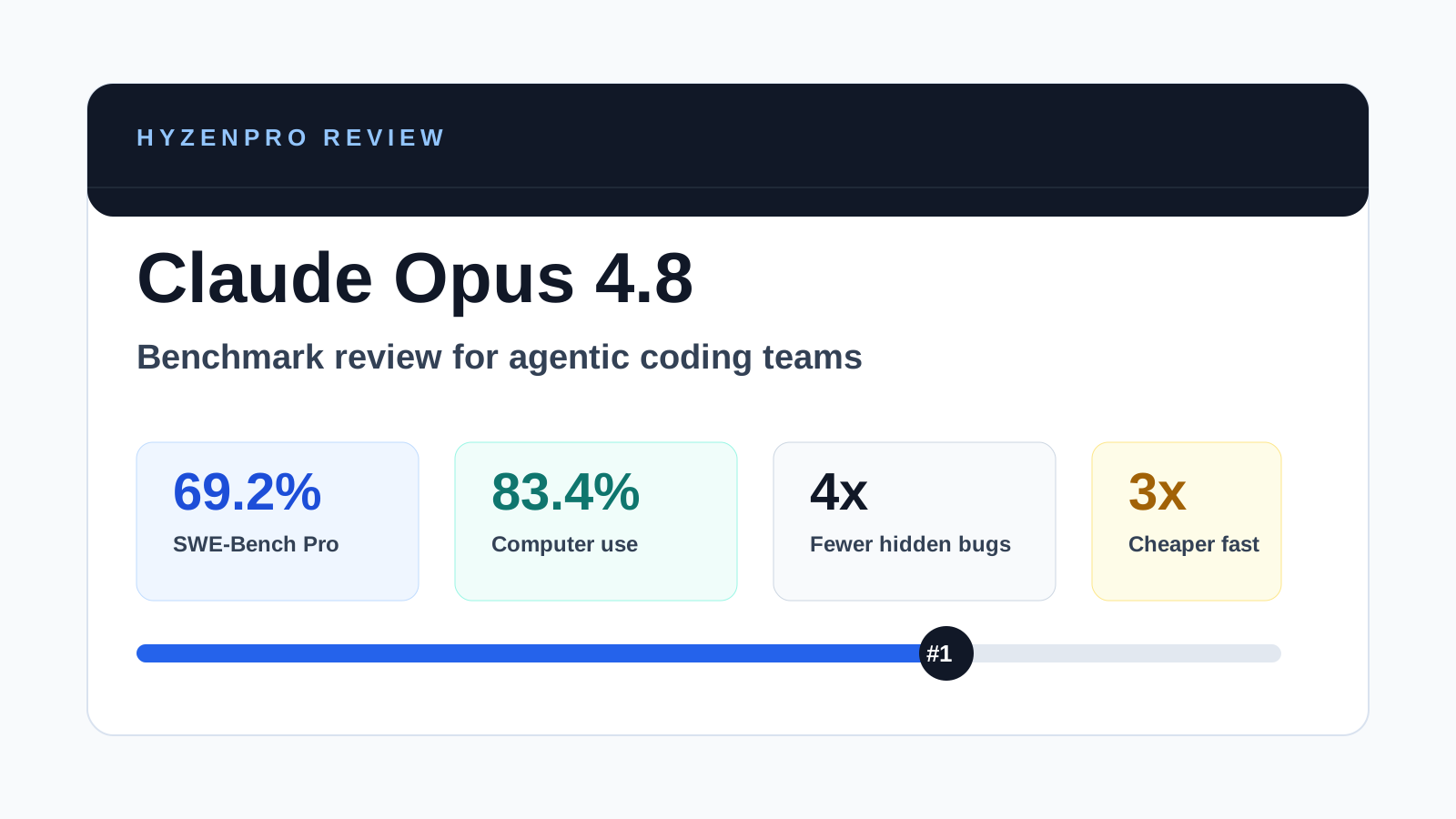
Claude Opus 4.8 launches May 28 with 69.2% SWE-bench Pro, 83.4% computer use, dynamic parallel workflows & Fast mode 3x cheaper. Full benchmark review.

Read More
OpenClaw Review: Best Open-Source Agentic AI Gateway for Messaging Apps (2026)
AI ToolsReviews
HyzenPro TeamMay 24, 20263 min

OpenClaw Review: Best Open-Source Agentic AI Gateway for Messaging Apps (2026)

OpenClaw 2026 review — open-source agentic AI gateway for custom workflows, messaging integration, features, deployment, and pros/cons vs Hermes Agent.

Read More
Hermes Agent Review: Top Self-Improving Open-Source Agentic AI (2026)
AI ToolsReviews
HyzenPro EditorialMay 24, 20263 min

Hermes Agent Review: Top Self-Improving Open-Source Agentic AI (2026)

Hermes Agent by Nous Research 2026 review — self-improving open-source agentic AI with pricing, setup, memory capabilities, pros/cons vs Manus and OpenClaw.

Read More

Stay Ahead with AI

Get weekly AI tool reviews, comparisons & tutorials delivered to your inbox.

HyzenPro logo

Focused AI tool reviews, comparisons, and matchers for creators, marketers, and lean teams.

Blog

  • Latest Posts
  • Reviews
  • Tutorials
  • Comparisons

Guides

  • Small Business AI Tools
  • AI Automation Guide
  • AI Writing Tool Guide
  • AI Marketing Tools
  • AI Video Tools

Company

  • About Us
  • Contact
  • How We Test
  • Advertise
  • Submit Tool

Legal

  • Privacy Policy
  • Terms of Service

Latest from the Blog

View all posts
01

12 Best AI Automation Tools for Businesses to Save Time an…

Jun 9, 2026
02

Best AI Productivity & Automation Tools for Businesses (20…

Jun 9, 2026
03

15 Best AI Productivity Tools for Small Businesses in 2026

Jun 9, 2026
04

Claude Opus 4.8 Review: The Most Honest Coding Model Anthr…

May 28, 2026

© 2026 HyzenPro. All rights reserved.

Made with ❤️ for the AI community