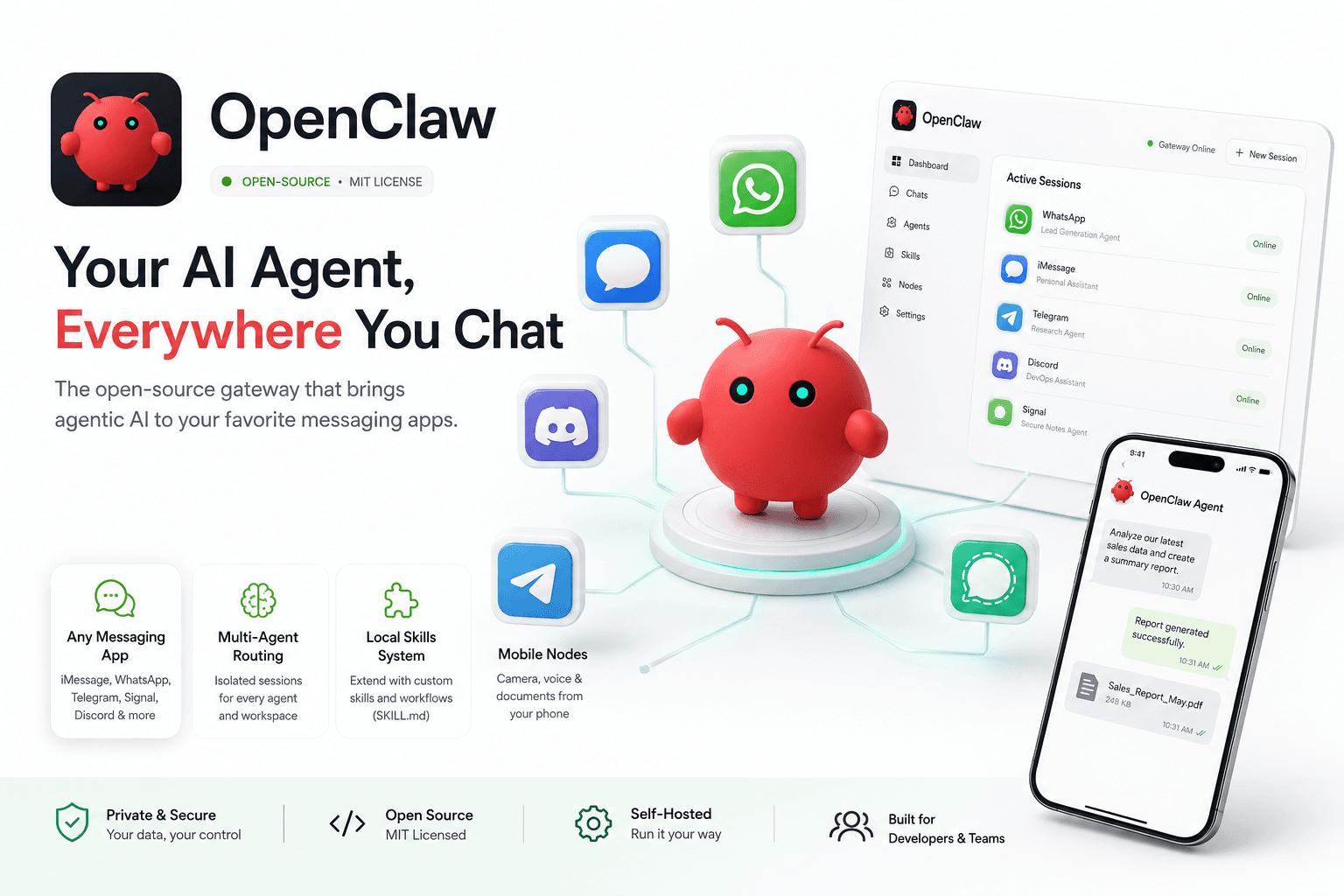
Originally launched as Clawdbot by developer Peter Steinberger in late 2026, OpenClaw has exploded in popularity as the ultimate open-source gateway for connecting AI agents directly to your daily messaging apps. OpenClaw acts as a bridge, allowing you to interface with powerful agents via iMessage, WhatsApp, Telegram, Signal, or Discord. It treats your messaging app as the primary UI for complex, autonomous workflows. Built around a robust "skills" directory system, OpenClaw is heavily adopted by freelancers and small businesses for automating CRM tasks and lead generation straight from their phones.
Key Features
- Any-OS Gateway: One unified process that connects to built-in channels (Discord, Slack, WhatsApp, Signal, etc.).
- Multi-Agent Routing: Maintains isolated sessions per agent, workspace, or sender to prevent data bleeding.
- Web Control UI: A browser dashboard to manage chat history, configuration, active sessions, and mobile nodes.
- Local Skills System: Uses isolated directory bundles (SKILL.md) to define tool usage and custom behaviors.
- Mobile Nodes: Pair iOS and Android nodes to enable mobile camera and voice-enabled workflows directly into the agent context.
Real Pricing Tiers (May 2026)
- Core Software: Free (MIT License).
- Infrastructure: Self-hosted. Costs depend on your local hardware or server hosting ($0 to $50/mo).
- LLM API: You provide the API key (Claude, DeepSeek, OpenAI) and pay standard token rates.
Pros & Cons
Pros:
- Incredible flexibility—talk to your autonomous agent from anywhere, right alongside your friends and family in your chat apps.
- Excellent handling of rich media (images, audio, documents) via messaging protocols.
- Vibrant open-source community providing easy-to-install custom plugins.
Cons:
- More focused on being a communication gateway than a standalone reasoning engine; requires a very smart LLM backend to function autonomously.
- Setting up certain messaging endpoints (like WhatsApp or iMessage) can require navigating API developer portals.
Best For
Remote teams, digital nomads, and small business owners who want to trigger complex automation workflows and agents entirely via their phone's native chat apps.
Alternatives
Hermes Agent, CrewAI.
Top 5 FAQs about OpenClaw
1. Why did the name change to OpenClaw?
The project was originally called Clawdbot (a nod to Anthropic's Claude). After trademark complaints and a brief stint as "Moltbot," it was officially rebranded to OpenClaw in early 2026.
2. Does OpenClaw run on my phone?
The core Gateway runs on a computer or server (Node 24 recommended), but you interact with it entirely through your phone via messaging apps or the dedicated iOS/Android node apps.
3. How hard is it to install?
If you have Node installed, it’s a single terminal command (npm install -g openclaw@latest) followed by a 5-minute configuration via the Web UI.
4. Is it secure to expose my agent to WhatsApp or Telegram?
Yes. OpenClaw features strong security layers, including allowlists (e.g., channels.whatsapp.allowFrom), token authentication, and mention rules to ensure strangers cannot access your agent.
5. What is the difference between OpenClaw and Hermes?
Hermes is highly focused on local execution, memory evolution, and deep terminal control. OpenClaw is heavily optimized around communication—acting as a multi-channel router to bring agentic capabilities directly into consumer messaging platforms.
See also: Full OpenClaw tool profile on HyzenPro with messaging integrations, pricing, and alternatives.