HyzenPro
Home
AI Tools
Blog
Compare
Submit Tool

Discover

  • AI Tools DirectoryBrowse the full AI tool library
  • Find ToolsUse the guided matcher quiz
  • CompareShortlist tools side by side

Popular Categories

  • AI Video ToolsEditors, generators, captions
  • AI Writing ToolsContent, copy, and SEO writing
  • AI Coding ToolsAssistants for developers

For Vendors

  • Submit AI ToolGet listed on HyzenPro
  • Vendor PortalManage your listing

From the Blog

Latest insights on AI tools

View all
ReviewClaude Opus 4.8 ReviewRead articleMarketing20 Best AI Marketing Tools in 2026Read articleVideo20 Best AI Video Generation Tools in 2026Read articleWritingHow to Choose an AI Writing ToolRead articleAutomationAI Automation Tools That Save 15 HoursRead articleGuideBest AI Tools for Small Business OwnersRead article

Learn

  • GuidesHow we evaluate AI software
  • ReviewsHands-on analysis and verdicts
  • Latest Blog PostsResearch, news, and tool guides

Company

  • About HyzenProWhat we cover and why
  • ContactQuestions, corrections, and partnerships
  • AdvertiseReach AI software buyers
HyzenPro
HomeAI ToolsFind ToolsBlogCompareGuidesAboutContact
Submit a Tool

Stay Ahead with AI

Get weekly AI tool reviews, comparisons & tutorials delivered to your inbox.

HyzenPro logo

Focused AI tool reviews, comparisons, and matchers for creators, marketers, and lean teams.

Blog

  • Latest Posts
  • Reviews
  • Tutorials
  • Comparisons

Guides

  • Small Business AI Tools
  • AI Automation Guide
  • AI Writing Tool Guide
  • AI Marketing Tools
  • AI Video Tools

Company

  • About Us
  • Contact
  • How We Test
  • Advertise
  • Submit Tool

Legal

  • Privacy Policy
  • Terms of Service

Latest from the Blog

View all posts
01

12 Best AI Automation Tools for Businesses to Save Time an…

Jun 9, 2026
02

Best AI Productivity & Automation Tools for Businesses (20…

Jun 9, 2026
03

15 Best AI Productivity Tools for Small Businesses in 2026

Jun 9, 2026
04

Claude Opus 4.8 Review: The Most Honest Coding Model Anthr…

May 28, 2026

© 2026 HyzenPro. All rights reserved.

Made with ❤️ for the AI community

HomeBlogAutocut Review 2026: AI-Powered Video Editing & Captions Explained
Reviews

Autocut Review 2026: AI-Powered Video Editing & Captions Explained

It runs in your browser, no downloads. You upload your video, and boom—Autocut gets to work trimming silences, generating captions, and cleaning up audio. It’s meant for solo creators, YouTubers, social media managers—basically anyone who needs clean, captioned content fast.

Rana AqibDecember 16, 20256 min read
Affiliate disclosure: HyzenPro may earn a commission when you click some tool links. Our reviews, comparisons, and recommendations remain editorially independent and are based on research, hands-on testing, pricing checks, and practical fit.
Autocut Review 2026: AI-Powered Video Editing & Captions Explained

Short-form creators, this one’s for you. In this Autocut Review, we’re taking a close look at the 7th standout tool in our lineup and why it’s becoming a go-to for fast edits and captions.

Let’s start with the basics. Autocut is an AI-powered video editing tool designed to help creators edit faster, smarter, and without needing a full-blown editing studio. If you’ve ever felt overwhelmed scrubbing through timelines or syncing captions manually, this tool’s built for you.

It runs in your browser, no downloads. You upload your video, and boom—Autocut gets to work trimming silences, generating captions, and cleaning up audio. It’s meant for solo creators, YouTubers, social media managers—basically anyone who needs clean, captioned content fast.

Think of it as your virtual editing assistant. Not flashy, just useful.

Features of Autocut

Autocut isn’t just a one-trick tool. These are the main things it does well:

autocut review

Each feature is built around saving time without sacrificing quality.

AI Caption Generation: How Good Is It?

Let’s talk about the standout feature: captions.

Autocut’s captioning tool is surprisingly accurate. It uses AI transcription to detect speech and drop perfectly timed subtitles onto your video. No laggy delays, no weird spacing.

You get control over font, color, position, and style—so you’re not stuck with generic subtitles. Want bold yellow text at the bottom in Montserrat? Easy. Need SRT or hardcoded captions? Done.

Bonus: It handles multiple languages pretty well. Great if your audience spans more than one region.

Bottom line? This is one of the fastest, cleanest auto-captioning tools out there.

👉 Want more caption tools? Check out our 10 Best AI Caption Generator Tools roundup.


User Interface & Ease of Use

Here’s the thing: a tool can be powerful, but if the interface is a mess, no one’s sticking around.

Thankfully, Autocut nails the usability part. The dashboard is clean and intuitive. You upload a file, and it walks you through the workflow—cutting, captioning, exporting—in a few logical steps.

  • No clunky menus.
  • No tech knowledge required.
  • No hour-long tutorials.

Even if you’ve never edited a video before, you can figure this out in minutes. It feels like it was built for creators who just want to get things done, not get a degree in video editing.


Pricing and Subscription Plans

Now let’s talk cost. Here’s the breakdown:

  • Free Plan: Good for testing things out—limited exports and watermark included.
  • Paid Plans: Unlocks unlimited exports, HD quality, and no watermark. Monthly and yearly options are available.

Is it worth paying for? If you’re editing videos regularly for social media, YouTube, or clients, the Pro plan easily pays for itself in time saved.

Compared to tools like VEED or Descript, Autocut comes in at a lower price point but still holds its own in terms of core features.


Autocut vs. Other AI Video Editors

Let’s be real—Autocut isn’t alone in this space. So how does it stack up against the competition?

ToolStrengthsWeak Spots
AutocutFast captions, clean UINo built-in screen recorder
DescriptPodcast + video editingHeavier learning curve
VEED.ioPolished interface, templatesPricier plans
WisecutGreat for auto-cutsLimited manual control

Autocut doesn’t try to be everything. It does a few things really well—captioning, trimming, cleaning audio—and skips the bloat.

Want a deep comparison? Read our VEED.io Review or Submagic Review for head-to-head details.

Pros and Cons of Autocut

Let’s keep it honest:

Pros

  • Great value for money
  • Solid core editing tools
  • Beginner-friendly interface
  • Fast, accurate AI captions

Cons

  • No mobile app (yet)
  • Can’t record directly from webcam
  • Some export limits on the free plan

It’s not perfect. But if you’re a content creator who wants results without tech headaches, the pros outweigh the cons.

Real User Reviews and Feedback

We dug around Reddit, YouTube comments, and Trustpilot. Here’s what people are saying:

👍 Praise:

  • “Cut my editing time in half.”
  • “Captions are spot-on. Way better than YouTube’s auto ones.”
  • “Actually fun to use.”

👎 Criticism:

  • “Wish it had more font choices.”
  • “Free plan is a bit too limited.”

Overall? The vibe is positive. Especially among YouTubers and Instagram creators looking to speed up their workflow.


Is Autocut Worth It in 2026?

If you’re looking for a fast, reliable way to clean up your videos and get accurate captions without babysitting an editing timeline—Autocut is absolutely worth it.

It’s not bloated with extra features you’ll never use. It’s built for creators who care about speed, clarity, and results.

Whether you’re uploading Reels, making YouTube videos, or building short-form content for clients—this tool earns its spot.

🎯 TL;DR:
Autocut is a no-nonsense AI video editor that does one thing very well: it saves creators time. And in 2026, time is your most valuable asset.

How HyzenPro Evaluated AutoCut Review

This article is maintained as part of HyzenPro's AI Video Tools coverage. We evaluate each tool through practical buyer questions: what the product is best at, where it creates friction, how pricing changes with real usage, and which alternatives make more sense for different teams.

Best for

AutoCut Review is most useful when the buyer already knows the workflow they want to improve and needs a clear recommendation rather than a feature dump. We look at setup time, output quality, collaboration features, export options, and whether the tool saves enough time to justify its monthly cost.

Skip if

Skip this option if your team needs deep enterprise controls, custom procurement terms, or a workflow that the product does not directly support. In those cases, compare it with category alternatives in the HyzenPro AI tools directory before committing to an annual plan.

Pricing and value notes

Pricing changes often in the AI software market, so HyzenPro treats the public plan page as the source of truth and focuses on practical value: free-tier limits, export restrictions, watermarking, collaboration seats, usage credits, and upgrade points that can surprise creators or small teams.

Recommended next steps

Start with a small project, export the final result, and compare the output against at least one competing tool. If the tool reduces manual work without hurting quality, it belongs on your shortlist. If the workflow still needs heavy cleanup, choose a more specialized alternative.

Continue your research

Build a stronger shortlist

Best AI subtitle generatorsCompare captioning and subtitle tools for short-form video workflows.AI caption tool matcherGet a guided shortlist based on editing style, speed, and budget.VEED.io reviewSee pricing, features, and alternatives for a full video-editing suite.
HyzenPro AI Tool Matcher

Want a faster path to the right AI tool?

Use the matcher hub to move from broad browsing into a guided shortlist based on workflow, budget, and team context.

Open the matcher hubBrowse the full directory

About the Author

RA

Rana Aqib

AI Workflow Researcher

Rana Aqib covers AI automation, video tools, coding assistants, and emerging productivity software. His reviews emphasize repeatable testing, buyer tradeoffs, and clear recommendations for different user types.

Expert Verified
Hands-on Testing
Website

Share This Article

TABLE OF CONTENTS

  • Features of Autocut
  • AI Caption Generation: How Good Is It?
  • User Interface & Ease of Use
  • Pricing and Subscription Plans
  • Autocut vs. Other AI Video Editors
  • Pros and Cons of Autocut
  • Real User Reviews and Feedback
  • Is Autocut Worth It in 2025?
  • How HyzenPro Evaluated AutoCut Review
  • Best for
  • Skip if
  • Pricing and value notes
  • Recommended next steps

Related Articles

Claude Opus 4.8 Review: The Most Honest Coding Model Anthropic Has Built
AI Coding ToolsAI Chatbots
HyzenPro EditorialMay 28, 202612 min

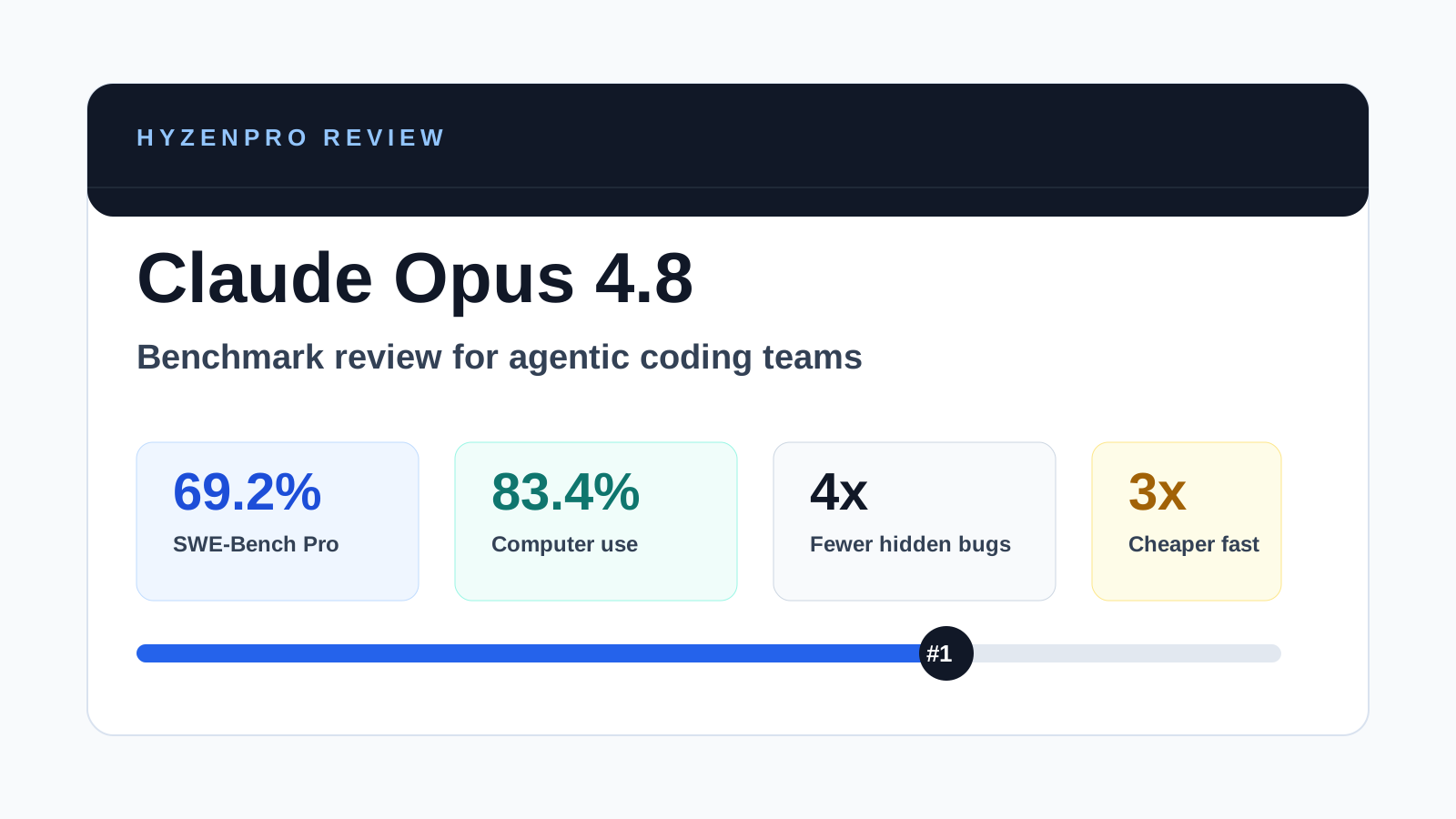
Claude Opus 4.8 Review: The Most Honest Coding Model Anthropic Has Built

Claude Opus 4.8 launches May 28 with 69.2% SWE-bench Pro, 83.4% computer use, dynamic parallel workflows & Fast mode 3x cheaper. Full benchmark review.

Read More
OpenClaw Review: Best Open-Source Agentic AI Gateway for Messaging Apps (2026)
AI ToolsReviews
HyzenPro TeamMay 24, 20263 min

OpenClaw Review: Best Open-Source Agentic AI Gateway for Messaging Apps (2026)

OpenClaw 2026 review — open-source agentic AI gateway for custom workflows, messaging integration, features, deployment, and pros/cons vs Hermes Agent.

Read More
Hermes Agent Review: Top Self-Improving Open-Source Agentic AI (2026)
AI ToolsReviews
HyzenPro EditorialMay 24, 20263 min

Hermes Agent Review: Top Self-Improving Open-Source Agentic AI (2026)

Hermes Agent by Nous Research 2026 review — self-improving open-source agentic AI with pricing, setup, memory capabilities, pros/cons vs Manus and OpenClaw.

Read More

Stay Ahead with AI

Get weekly AI tool reviews, comparisons & tutorials delivered to your inbox.

HyzenPro logo

Focused AI tool reviews, comparisons, and matchers for creators, marketers, and lean teams.

Blog

  • Latest Posts
  • Reviews
  • Tutorials
  • Comparisons

Guides

  • Small Business AI Tools
  • AI Automation Guide
  • AI Writing Tool Guide
  • AI Marketing Tools
  • AI Video Tools

Company

  • About Us
  • Contact
  • How We Test
  • Advertise
  • Submit Tool

Legal

  • Privacy Policy
  • Terms of Service

Latest from the Blog

View all posts
01

12 Best AI Automation Tools for Businesses to Save Time an…

Jun 9, 2026
02

Best AI Productivity & Automation Tools for Businesses (20…

Jun 9, 2026
03

15 Best AI Productivity Tools for Small Businesses in 2026

Jun 9, 2026
04

Claude Opus 4.8 Review: The Most Honest Coding Model Anthr…

May 28, 2026

© 2026 HyzenPro. All rights reserved.

Made with ❤️ for the AI community